Rekhu Assistant is on the Odoo Apps store
Rekhu Assistant for Odoo 17, 18 and 19 is on the Odoo Apps store. It puts an AI assistant in the Odoo back office that finds records, answers and does the work after a click on Confirm, only where you allow it and with each user's own access rights.
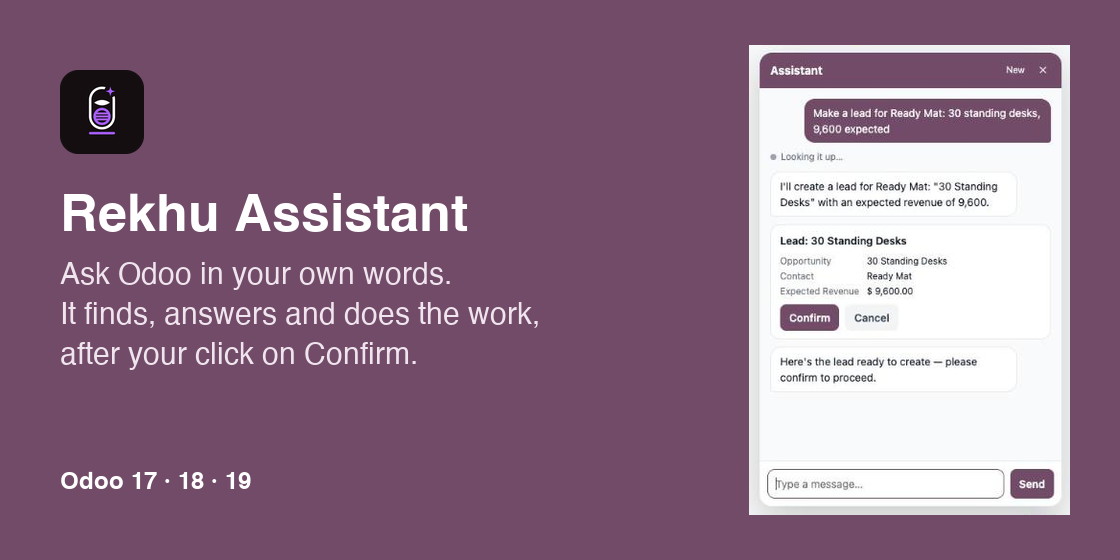
Rekhu Assistant now works inside Odoo. The module is on the Odoo Apps store for Odoo 17, 18 and 19: Rekhu Assistant on apps.odoo.com.
The people who work in Odoo get a chat in the back office, in Odoo's own colours. They ask in their own words and the assistant does the rest:
- "Which customers have the biggest open orders?" It finds the records and answers beside the screen you are on: a short list or a table, amounts in your currency, each record with a button to open it.
- "Make a lead for Ready Mat: 30 standing desks, 9,600 expected." It shows exactly what it will create or change, and does it only after a click on Confirm.
- "Plan a call with Joel tomorrow about that quotation." Calls, meetings, to-dos and notes land on the right record.
- "How do we handle returns?" It answers how-to questions from help topics you write for your own company.
You choose where it works. After install, a set-up lists the apps installed in your Odoo and the records in each, with how many there are. For each kind of record you choose not here, read, or read and change. The assistant does not run until this is done, and it never touches anything outside it.
It cannot do more than the user can. Every search and every change runs as the signed-in user, with their access rights. What they cannot see or do in Odoo, the assistant cannot either. The secret key stays on your Odoo server.
Your own actions. Developers add actions of their own with one decorator, @tool, on any model method. The assistant offers them with the same confirmation and the same access rights.
Pay for what you use. The assistant runs on prepaid credit in your Rekhu account: no subscription and no fee per user. The credit left shows in Odoo's settings with a Top up button, and your Rekhu account shows the usage per Odoo company and per month.
Getting started:
- Create a free account on rekhu.com and add a project of the type Odoo.
- Install Rekhu Assistant from Apps in Odoo, and paste the project's key in Settings → Rekhu Assistant.
- Press Set up the assistant, choose where it works, and save.
- Reload: the chat button appears for your users.
Read more on the Rekhu Assistant page, or see the code and the guide on GitHub.