Seshat · file check · for your site
The print file check, on your own site.
Your customer drops the artwork on your product page. Seshat checks it against your specs, shows what is wrong on a proof of each page, fixes it on a click, checks the fixed file again, and hands over the print-ready file. Before the order reaches your prepress.
Vue · React · Next.js · Nuxt · Laravel · plain HTML
How it works
Upload, check, fix, done. Four steps your customer understands without help.
01
Upload
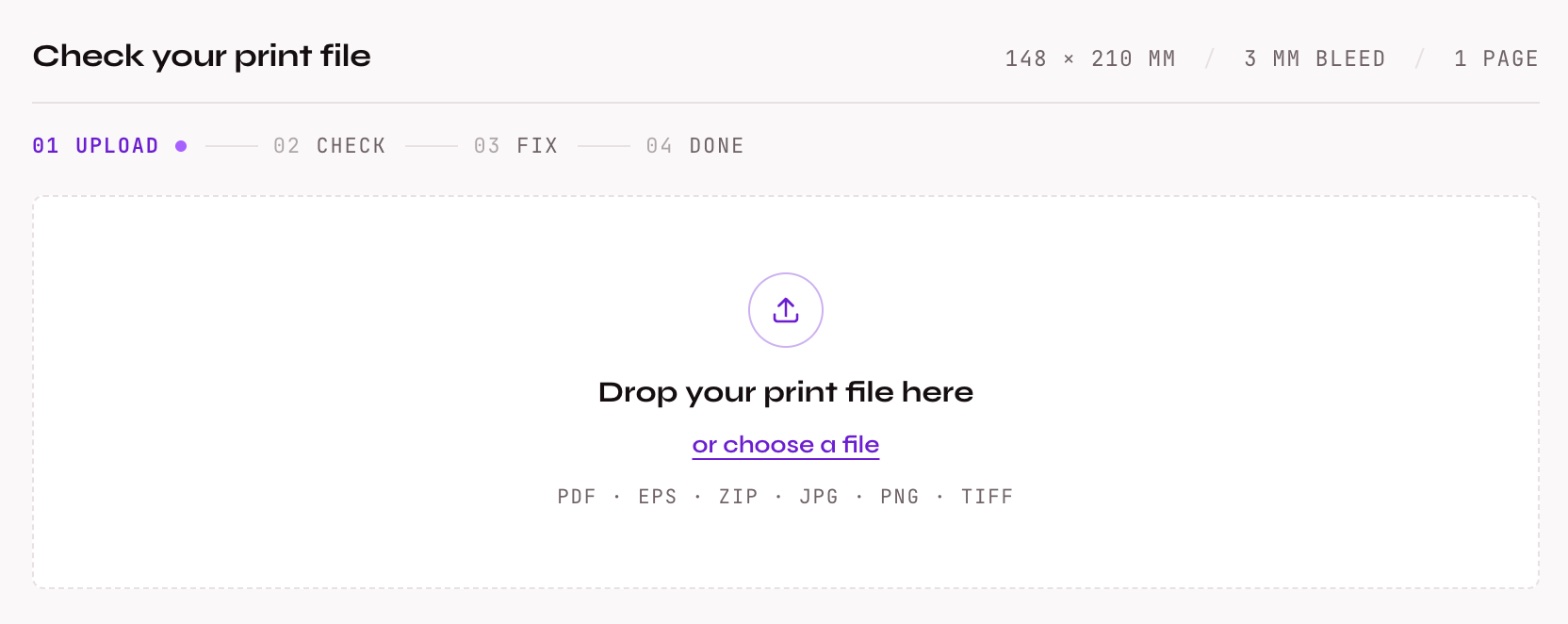
The customer drops the artwork onto your product page: PDF, EPS, ZIP or a picture. Large files go up in parts, with the progress shown as it moves.
02
Check
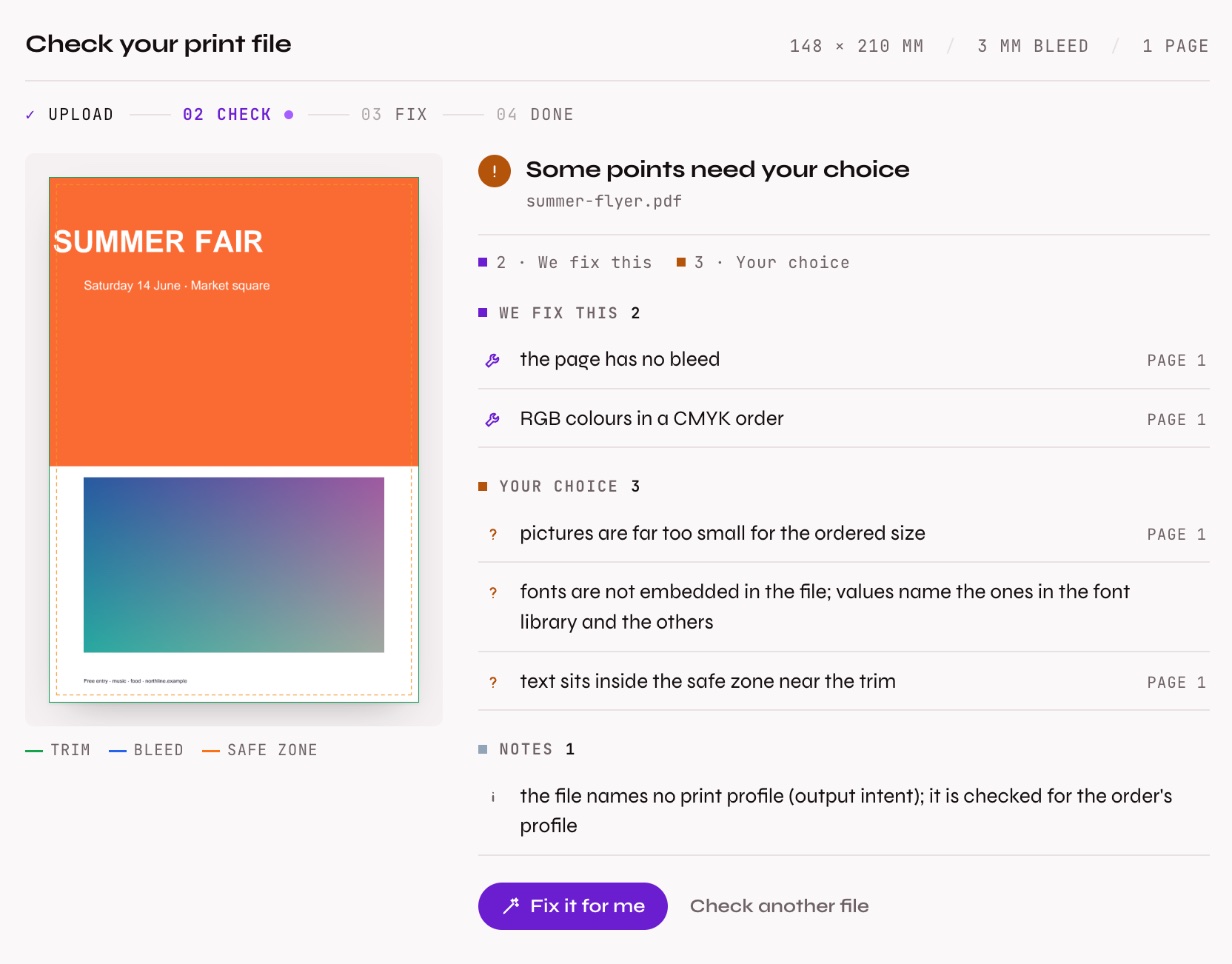
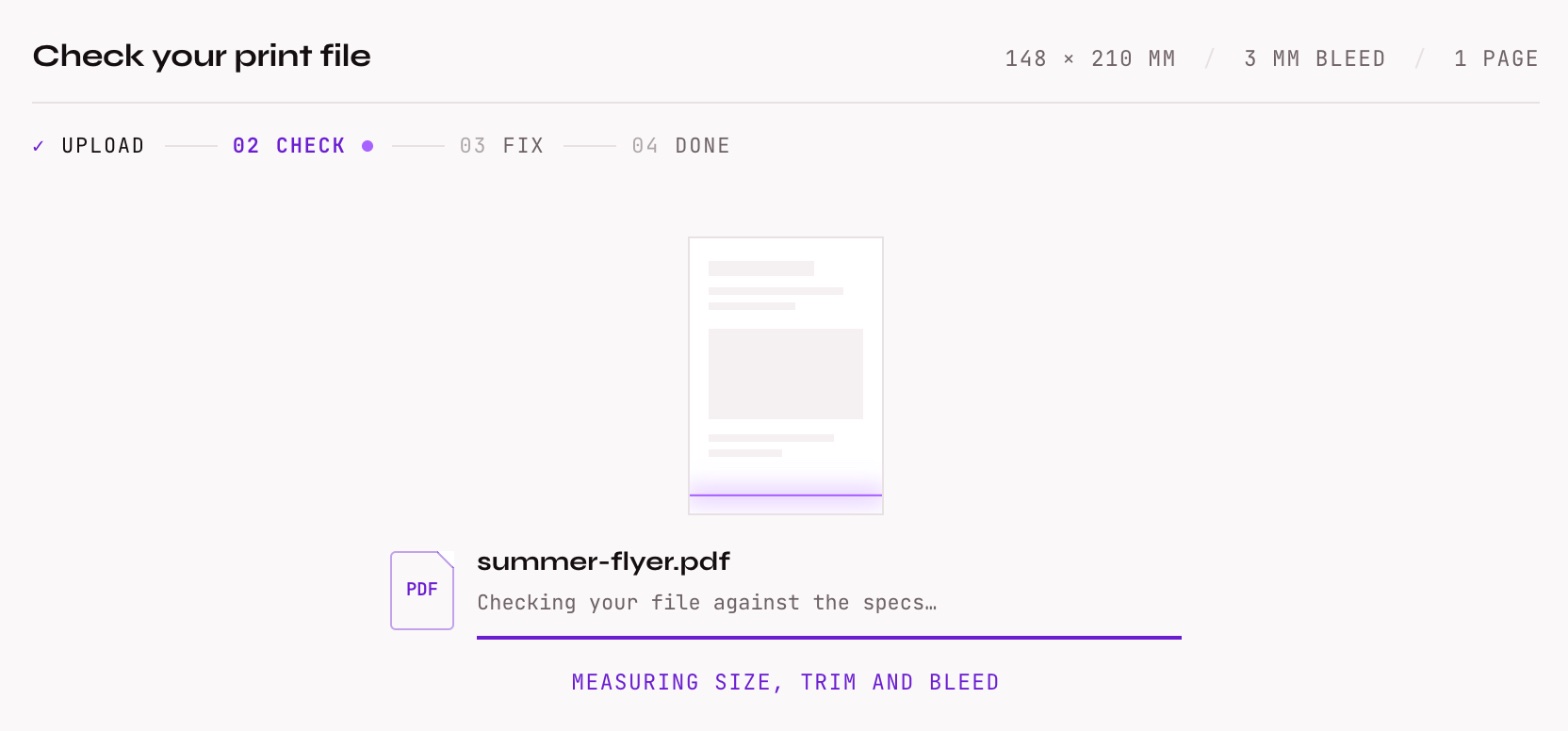
Seshat checks the file against your specs: size, trim and bleed, colours and total ink, pictures and fonts, the safe zone. A scan line runs over the page while it reads.
03
Read
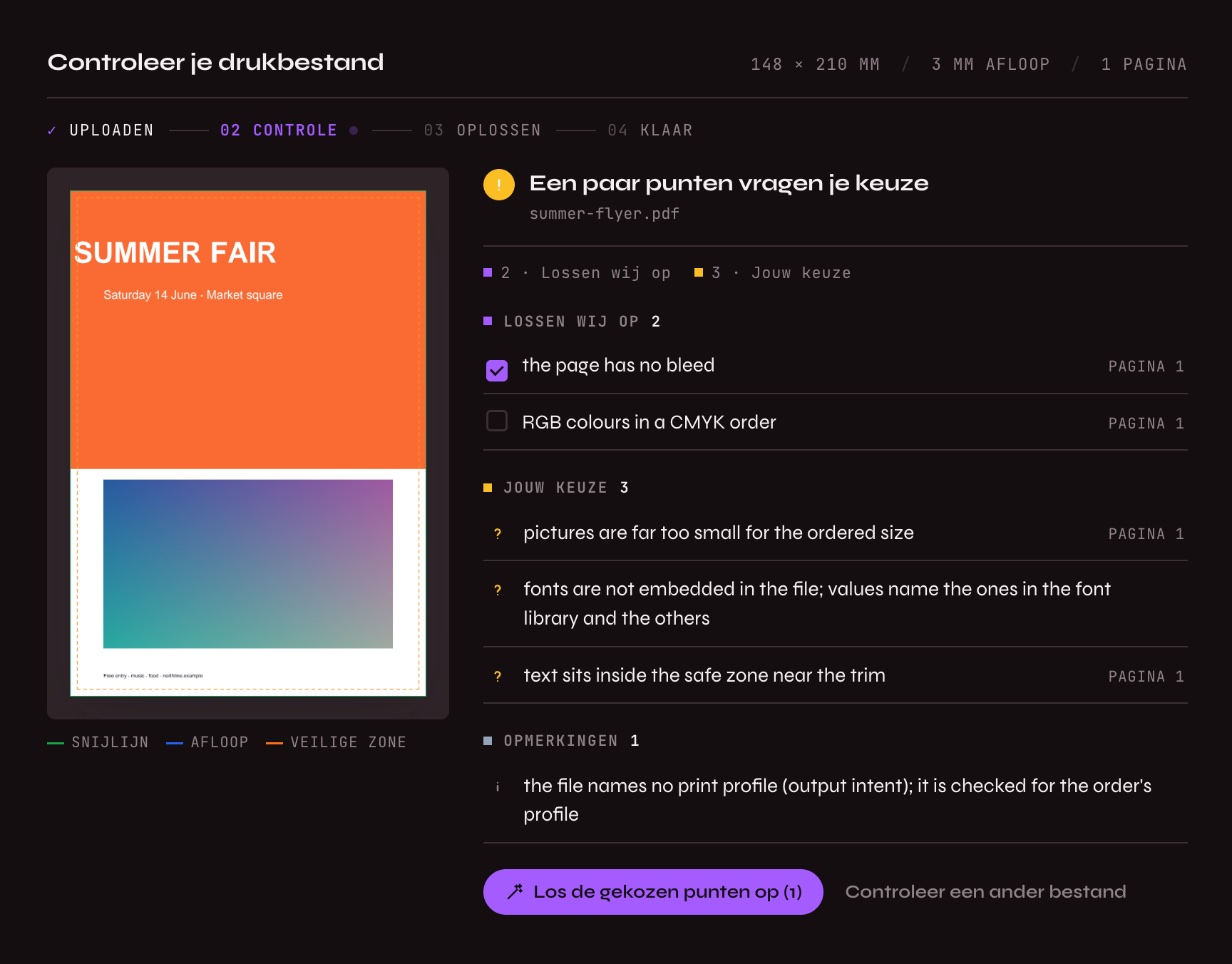
Every finding with Seshat's decision: we fix this, your choice, can't print, or a note. Next to it, a proof of the page with the trim, bleed and safe zone drawn on it. A click on a finding opens its page.
04
Fix and verify
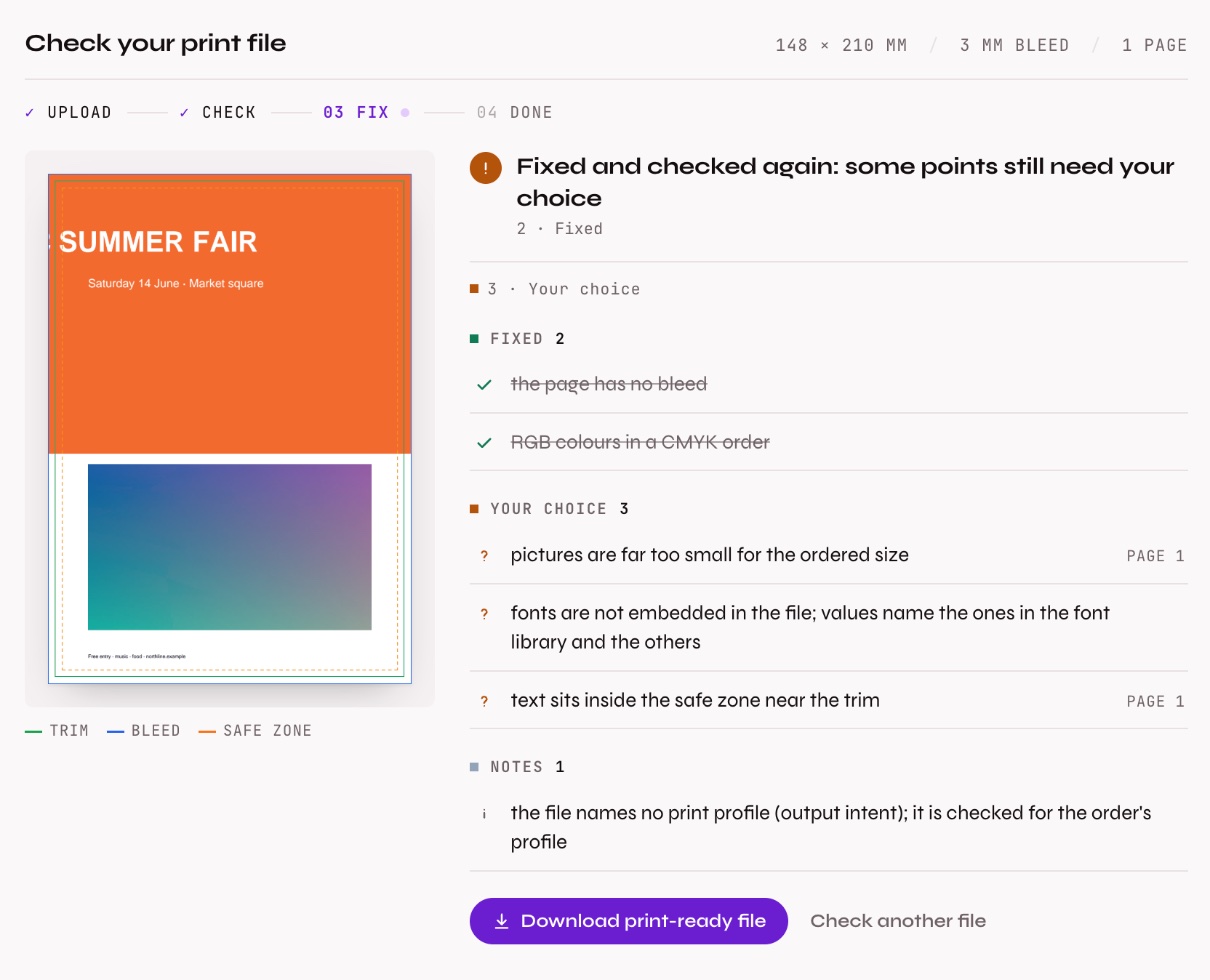
One click, and the fixes are made. The fixed file is checked again in the same step, so the customer sees what was solved and what is left. Then the print-ready file is ready to download.
Your workflow
Your specs, your fixes, your way of working
Pass the product's specs (size, bleed, pages, colour, minimum resolution, total ink) or a recipe you keep in your Rekhu account. Then choose how the fixes happen. Your server decides which fixes are allowed at all.
On a click
fix: 'button'
The customer reads the findings and clicks Fix it for me. The default.
The customer picks
fix: 'choose'
Each fix has a box to tick. Only the ticked fixes are made.
At once
fix: 'auto'
Fixed right after the check. The customer sees the result straight away.
Check only
fix: false
The findings and the proof, nothing changed. For a shop that fixes in its own prepress.
Turn the proof, the explanation for the customer, the steps and the download on or off. The words come in English, Dutch, German, French and Arabic, or your own.
Connect
One component in your front end, one package in your back end
The widget talks only to your own routes, with your own login. Your server holds the key, adds your defaults and calls Seshat. The same set-up as Rekhu Assistant.
# Vue, React, Next.js, Nuxt
$ npm install @rekhu/seshat-widget
mount('#file-check', {
endpoint: '/rekhu/seshat',
specs: { width_mm: 148, height_mm: 210 },
fix: 'choose',
onDone: (file) => attach(file.file_id),
});
# Node.js back end
$ npm install @rekhu/core
const check = createRekhu({
seshat: { specs: { bleed_mm: 3 } },
}).seshatServer({ user });
app.use('/rekhu/seshat', check.express());
// Next.js: export const POST = check.fetch
# Laravel back end
$ composer require rekhu/core
REKHU_SESHAT_ROUTES=true
// config/rekhu.php → seshat: specs, fixes
<script src="{{ route('rekhu.seshat.widget') }}">
// served by the package, no npm
Safe by design
Your Rekhu key never reaches the browser. Only signed-in users can check a file, through your own login. Each file is scanned for safety first, processed in the EU, and removed after 24 hours.
Your look
Rekhu's own look by default, light or dark. Colours, fonts and corners are CSS variables, and every part can be styled separately. On a device that asks for less motion, it moves less.
Price
The widget is free. A check costs $0.05 per file up to 20 pages, and a fix $0.02 (at most 5 per file). The proof and the explanation are included. Your limits a day per customer apply.
Questions
About the file check
What is a print file check widget?
A part of your own web page where your customer uploads the artwork for an order and sees right away whether it can be printed: what is wrong, where on the page, and what will be fixed. Seshat is the prepress knower behind it; the widget is the screen, your server holds the key.
Does it work with Vue, React, Next.js, Nuxt and Laravel?
Yes. The widget is one web component for any front end, mounted with mount() in Vue, React, Next.js, Nuxt or plain HTML. The back end is the Rekhu core package for Node.js (Express, Next.js route handlers, Nuxt, Hono) or for Laravel, which also serves the widget itself so a Blade page needs no npm.
Which files does it check?
PDF, EPS, ZIP (each file inside is checked) and pictures (JPG, PNG, TIFF). Files up to the limit you set on your server; above 20 MB they go on to Seshat in parts.
What does it check and fix?
Size, trim and bleed, the safe zone, RGB and spot colours, total ink, picture resolution, fonts, thin lines and small text, following GWG 2015 and PDF/X-4. It fixes bleed, converts to CMYK, embeds missing fonts, lowers total ink and more. Your server decides which fixes are allowed.
Can I set my own specs and workflow?
Yes: the size, bleed, pages, colour, minimum resolution and total ink per product, or a recipe kept in your Rekhu account. You choose whether fixes are made on a click, picked by the customer, made at once, or not at all, and whether the proof, the explanation and the download are shown.
Does it match my shop's design?
It comes in Rekhu's own look, light or dark. Colours, fonts and corners are CSS variables, and every part can be styled separately. The words come in English, Dutch, German, French and Arabic, or your own.
Is my Rekhu key safe?
The key stays on your server. The widget only talks to your own routes, with your own login: no signed-in user, no check. Problems with your Rekhu account are logged for you and never shown to your customer.
Where are the files processed and how long are they kept?
On Rekhu's servers in the EU. Each file is scanned for safety first and kept for 24 hours, so the fix, the proof and the download can follow the check; then it is removed.