Rekhu Builder for Odoo
Rekhu Builder now works on Odoo 17, 18 and 19. It reads your running database, designs your models with you, and builds, tests and upgrades your custom modules on a git branch, from the project chat.
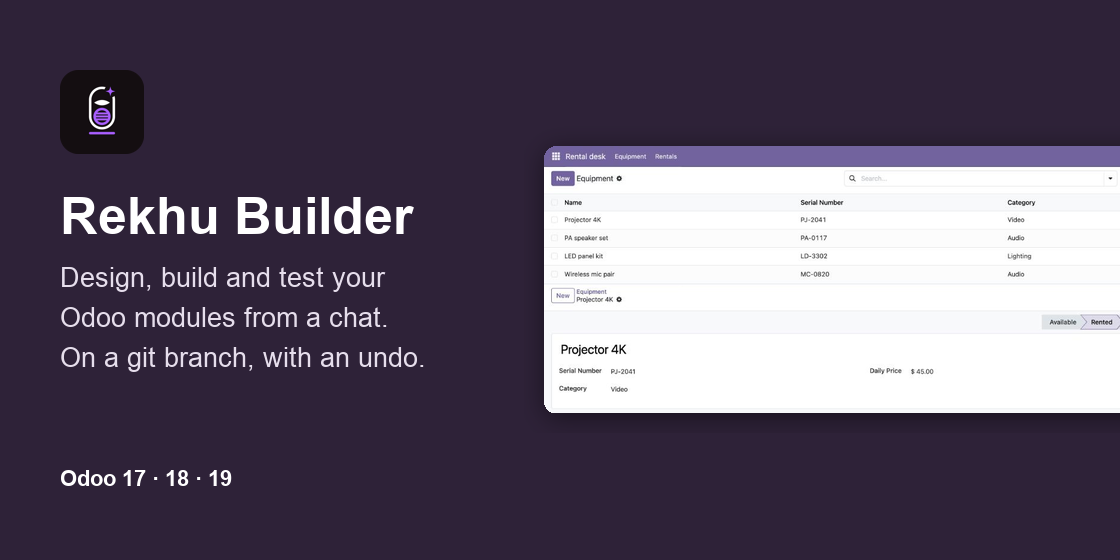
Rekhu Builder now works on Odoo. Install the module rekhu_builder on your development database, paste the key of your Odoo project, and the agent in your project chat works on the database as it runs.
It starts by reading what is there:
- the installed modules, and whether they are Odoo's, Enterprise, from the store or your own;
- every model with its fields, and the module that added each field;
- the relations between models, as a diagram;
- views and what inherits them, menus, access rights and record rules, scheduled actions that fail, and the log.
Press Discover and it writes all of this into the project, so every later chat starts from it.
Describe a module, and it is built. "A module for renting out equipment: equipment with a serial number, a category, a daily price and a state; rentals with dates, and the days and total computed from them." The builder shows the design in a short table, then writes the module the Odoo way: models, computed fields and constraints, list, form and search views, a menu, access rights and a test for each model. Every file is checked as it is written. Then it installs the module and runs its tests, on a database of their own, never on yours.
Redesign with the data in view. Before it turns a selection into a model or makes a field required, it reads how the field is used: how many records have it set, its values, the empty ones. It writes the migration script that moves the existing data, and says how many records it touches. It knows what differs between Odoo 17, 18 and 19, such as <tree> against <list>, constraints, the chatter and the group fields.
Safe by default.
- It only ever writes in your custom addons folders, never in Odoo's own modules or Enterprise.
- With git, every change goes on a branch
rekhu/<run>, one commit each, for you to merge. Without git, every file is backed up first. - On staging every change waits for your yes in the chat. On production it reads and proposes, unless you allow changes.
- Undo puts a run back: files restored, a module it installed uninstalled, the branch you started from checked out.
Works where you develop. On a laptop, in Docker or behind a firewall, run the listener beside the server: odoo rekhu_listen -d mydb. It connects out, so nothing has to be opened inbound. If a change ever stops the database from loading, the listener stays connected in repair mode: files, git, checks, upgrade and undo, enough for the builder to repair its own change. A server with a public https address can be called directly instead.
With Rekhu Assistant. The builder also sets up Rekhu Assistant for the people who work in Odoo. It decides where the assistant works, writes its help topics, and adds actions of your own to your modules.
Getting started:
- In your Rekhu account, add a project of the type Odoo and make a key for Rekhu Builder on its Connection tab.
- Put
rekhu_builderin your addons path and install Rekhu Builder on your development database. - Open Settings → Rekhu Builder, paste the key, say what the database is, and press Connect.
- On a laptop or in Docker, start the listener. Then talk to it in the project chat.
It runs on prepaid credit in your Rekhu account, like the other builders: no subscription and no fee per user. Read more on the Rekhu for Odoo page.